
How Burnout Changed the Way I Live and Work
December 19, 2025
For me, editing is my favorite part of the photography process. I love how fluid the creative interpretation can be in the editing process - responding to light, color, and mood until an image starts to resemble what I felt when I took it, rather than just what the camera recorded.
I’m always paying attention to how my tools shape the creative process itself. Do they pull me deeper into the work, or do they pull me out of it? When TourBox sent me the TourBox Elite Plus, I didn’t expect it to change much beyond convenience. What I didn’t anticipate was how noticeably it would affect my sense of creative flow while editing in Lightroom.
Disclaimer: Disclosure: The TourBox Elite Plus was sent to me by TourBox. All thoughts below are my own.
An Introduction to the TourBox Elite Plus
The Tourbox Elite Plus is a compact, but impressive creative console that works with a range of creative programs, from Lightroom (my preferred), to Photoshop, Illustrator, DaVinci Resolve, and so much more. Because it's Bluetooth-based, you can also use it with your iPad/tablet as well as your laptop or desktop computer. Whatever your creative workstation, the TourBox Elite Plus can plug in seamlessly.
If you're a busy creative like myself - including a photographer, illustrator, video editor, animator, and more - this control console might be worth considering in your creative workflow.
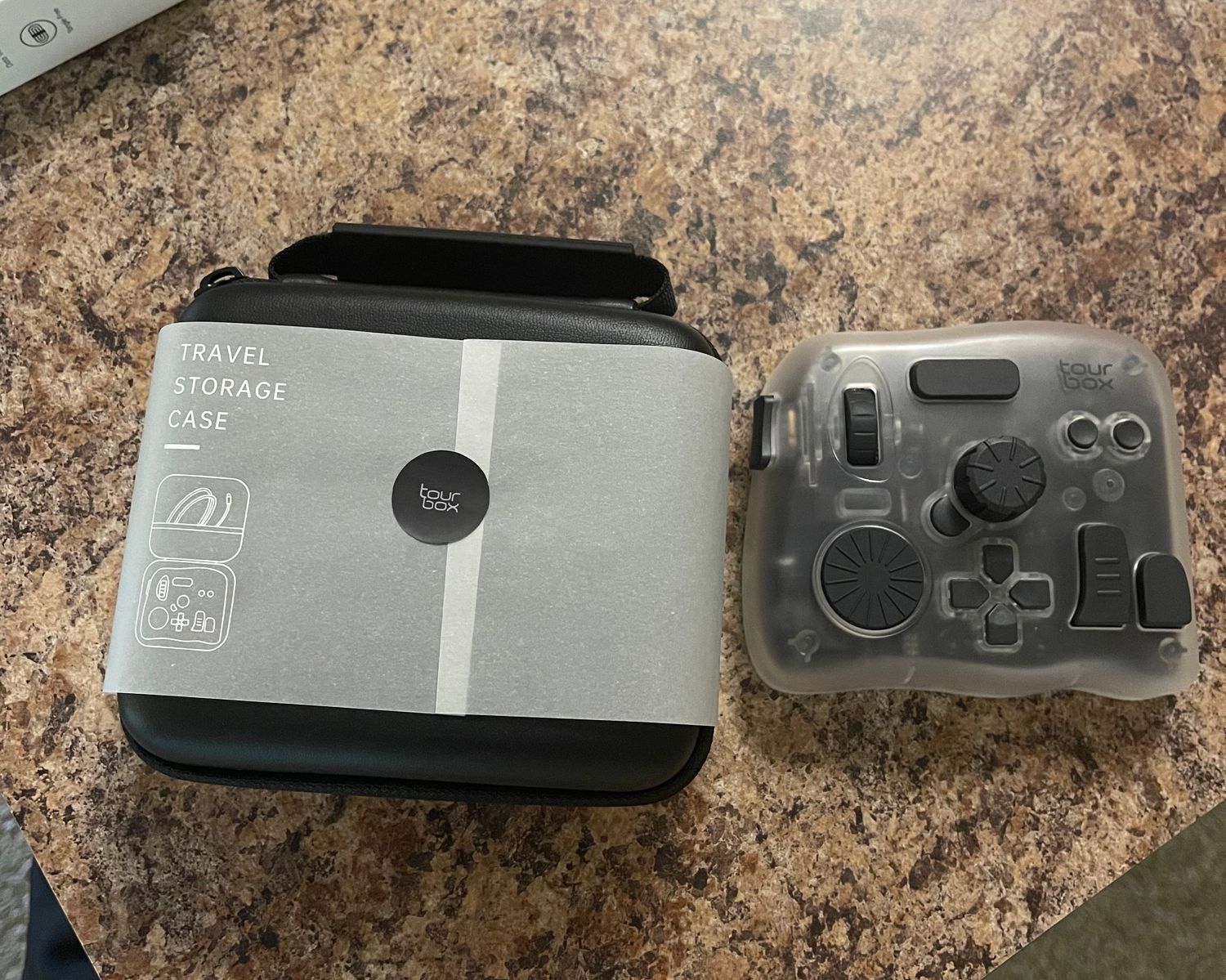
I travel frequently, so keeping gear to a minimum is pretty important. Luckily, this device is very travel-friendly and comes in its own protective case for easy transport.
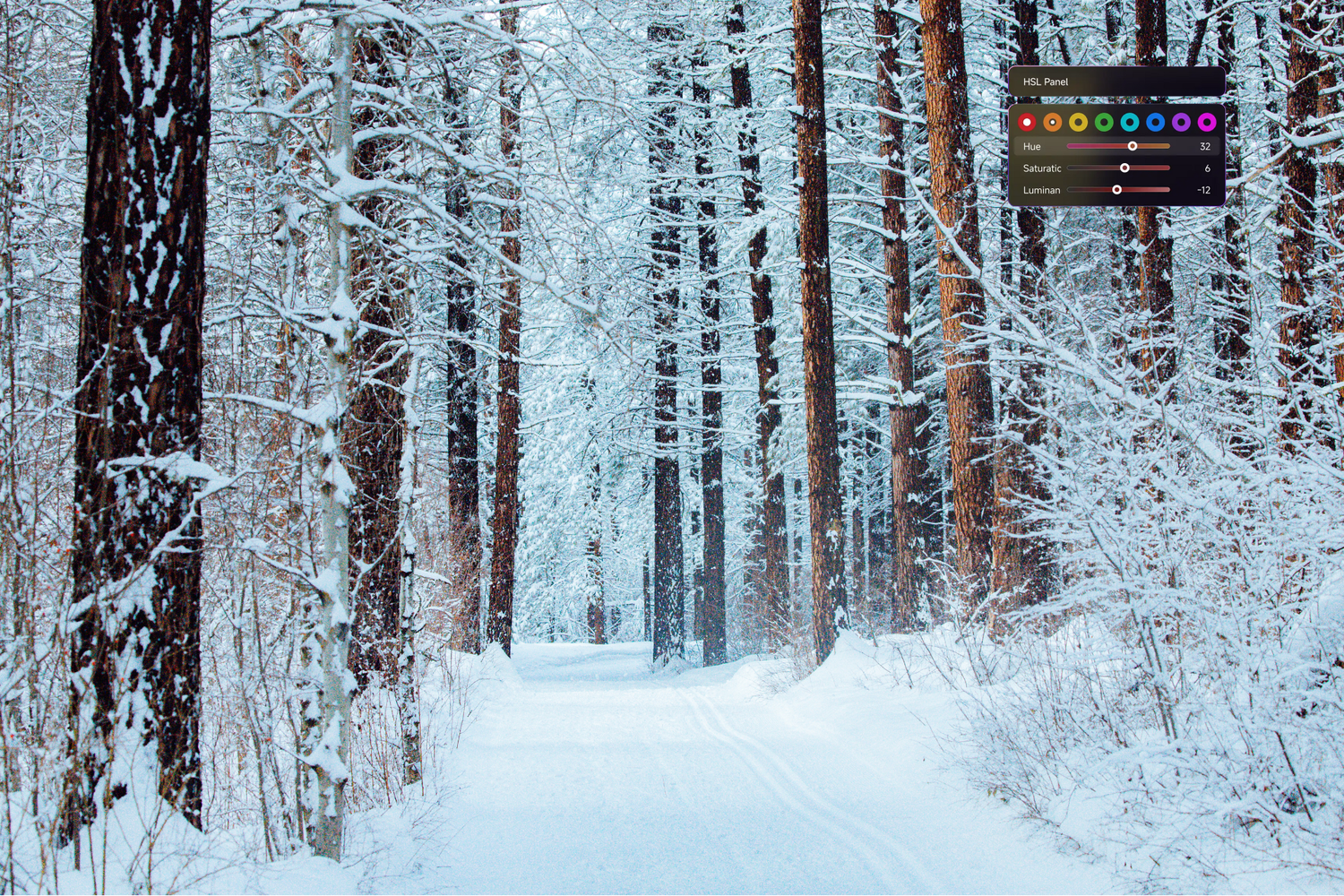
When Tourbox initially sent me this device, the timing was perfect as I had a number of trips coming up and could include it in my travel photography workflow immediately. The images below are from a recent trip through the PNW this winter, edited using the Tourbox Elite Plus in Lightroom.
Features of the TourBox Elite Plus
Rather than listing out strictly technical specifications, I want to focus on the features of the TourBox Elite Plus that actually changed how I experience editing. These are the elements that stood out to me the most as someone who thoroughly loves this process.
Dials & Knobs for Intuitive Adjustments
The most immediate and impactful feature of the TourBox Elite Plus is its physical controls, which include dials, knobs, and buttons designed to be used by feel rather than sight. In Lightroom, this translates really well to exposure, contrast, highlights, shadows, and other tonal adjustments.
Turning a dial feels far more natural than dragging a slider, and it encourages a more fluid, responsive way of working. Instead of thinking in numbers, you’re responding visually and intuitively to what the image needs.
This alone made editing feel more expressive and less mechanical.
While there's a little bit of a learning curve for setting up your device and customizing it, I was surprised at how easy it was to begin using it and get the hang of it.
Customizable Controls That Adapt to Your Brain
One of the biggest strengths of the TourBox Elite Plus is how customizable it is. You’re not locked into a rigid setup or someone else’s idea of an “ideal” workflow. Instead, you can map controls based on how you think about editing.
Initially, I researched Reddit and a few YouTube ideas for setup, but quickly found and updated it to match what started making more sense to me. I appreciated being able to start simple and build gradually, letting my setup evolve naturally as I spent more time with the device.
This flexibility makes the TourBox feel less like a tool you have to learn and more like one you grow into.
Bluetooth Connectivity for a Flexible Workspace
Because the TourBox Elite Plus is Bluetooth-enabled, it integrates easily into different work environments. So, if you’re editing on a laptop, desktop, or tablet, it doesn’t tether you to a single setup. For someone who travels frequently and works from different locations, this matters more than I initially expected. Fewer cables meant fewer setup constraints, and more ease when it came to getting into the flow of things.
Compact, Travel-Friendly Design
Portability is a big consideration for me, and the TourBox Elite Plus fits really well into a travel-based workflow. It’s small, lightweight, and comes with a protective case, making it easy to throw into a bag without adding bulk. While I was initially testing it out, I'd also just throw it into my purse and edit photos at one of my favorite cafes for a bit, and it worked out great.
Multi-Program Compatibility for Creative Versatility
While I primarily use the TourBox Elite Plus with Lightroom, it’s designed to work across a wide range of creative programs, including photo editing to illustration, video, and design.
This makes it especially appealing for multi-disciplinary creatives who move between different mediums. Rather than switching mental gears every time you open a new program, you can maintain a sense of continuity in how you interact with your tools.
I frequently work in Photoshop, Illustrator, and DaVinci Resolve for my social media clients, and I'm super excited to try the TourBox Elite Plus with these programs as well.



Using the Dynamic Panel in Lightroom Classic
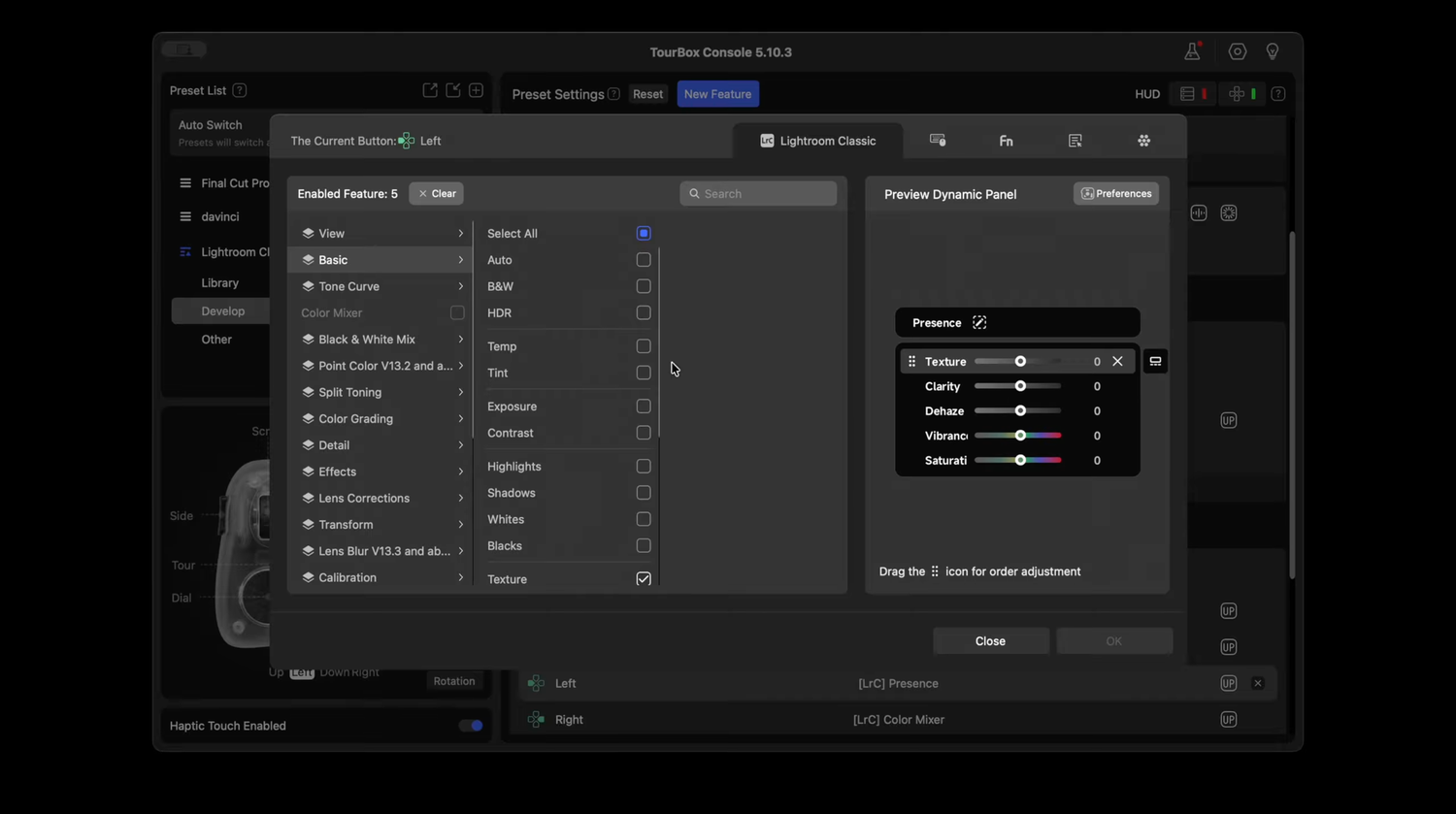
One feature worth calling out, especially for photographers who care about staying visually immersed while editing, is TourBox’s new Dynamic Panel for Lightroom Classic.
Typically, working with color grading in Lightroom means toggling panels, opening sidebars, and letting interface elements compete for your attention. It’s functional, but it can pull you out of the image more than you realize. This can be particularly annoying when you're using a compact laptop while traveling instead of a large monitor. The Dynamic Panel offers a different approach to this.
Instead of relying on Lightroom’s built-in panels, it allows you to bring up a floating, full-screen color grading panel that sits independently of the main interface. You can call it up wherever it feels most natural in your workspace, or even move it to a second display entirely. The key difference is that it doesn’t interfere with the photo view itself, and your image remains front and center.
With fewer interface elements surrounding the image, it became easier to focus purely on color, tone, and mood without distraction. For color grading in particular, this makes a noticeable difference. Adjustments felt more deliberate to me, and it’s easier to stay attuned to subtle shifts without constantly navigating Lightroom’s panels.
So, Is the TourBox Elite Plus Worth It?
I think whether the TourBox Elite Plus is “worth it” depends less on what kind of photographer you are, and more on how you like to work.
If you edit regularly and genuinely care about the experience of editing as opposed to just getting through it, then yes, I think it’s worth considering. This isn’t a tool designed to shave a few seconds off your workflow or push you toward maximum efficiency at all costs. It’s a tool that supports engagement, intuition, and creative momentum. What you’re really investing in here is more speed than presence.
The TourBox Elite Plus makes it easier to stay connected to your images, to experiment without friction, and to trust your instincts rather than overthinking every adjustment. Over time, those small shifts add up. Editing feels less tiring, less mechanical, and more enjoyable, which, at least for me, is what makes a creative practice sustainable in the long run.
That said, if you only edit occasionally, or if your workflow is already heavily optimized around keyboard shortcuts and you enjoy working that way, this might feel unnecessary. It’s not a must-have tool, and it doesn’t pretend to be one.
But if you see editing as a creative practice in its own right and something you spend real time with, return to often, and want to feel good doing, then the TourBox Elite Plus starts to make a lot more sense.

Final Thoughts
While I can't say the TourBox Elite Plus didn’t fundamentally change what I do in Lightroom, it changed how it feels to be there for hours on end. I'd liken it to a helpful, but not a job-critical tool, like an extra-large, high-resolution monitor is for photo editing (though believe me, you definitely miss it when you don't have it!).
It's really helped in making the process feel more hands-on and creative than before.
Ultimately, it's best at removing small points of friction in your professional creative workflow and gives you a more interactive, hands-on way to participate in the editing process.
And for me, that’s exactly what I want from the tools I travel with full-time.

Hi, I'm Kassie!
I'm a full-time traveler and professional photographer with a deep passion for visual storytelling. Over the past decade, I've honed my skills in photography alongside a career in marketing while I travel the world. My expertise in branding and marketing uniquely positions me to weave artistic vision with strategic business outcomes.
Throughout my career, I've collaborated on marketing campaigns for prominent brands such as Sony, Amazon, Eddie Bauer, Vimeo, and others helping them forge authentic connections with their audiences.
I continuously draw inspiration from diverse cultures and landscapes, which enriches the creative solutions I offer to adventure brands and travel destinations. When not working, I enjoy exploring new destinations, listening to classical music, and discussing new, nerdy ideas with my husband.


